Adobe Illustrator panel · Mac & Windows
Every file,
in its place.
Kitfold turns your finished logo artwork into a complete, agency-grade client package — every lockup, every colour version, every format, app icons and a designed logo guide — in one click, in about two minutes.
One-time purchase. No account needed for the trial. Your artwork never leaves your computer.
What the client gets
The package a good agency hands over. Made for you.
Every logo
Primary logo, symbol, wordmark, stacked and horizontal lockups — up to 10, in numbered folders.
Every version
Full colour, reversed, black, white, grayscale, each brand colour and "on a colour" versions.
Every format
SVG and PNG (and JPG) for screens; CMYK PDF, AI and EPS for print, with your exact brand CMYK.
Icons, web & social
App icons, favicon.ico, a social profile picture, a 1200 × 630 share image and an email signature logo.
Logo guide
A designed PDF in your brand colours: what's inside, which file to use, versions, colours and rules.
Master file
Your saved .ai copied in, plus any brand guidelines and font files you choose to include.
Verified
Every file is reopened and checked after export: size, transparency, centring and colour.
A page for your client
Start Here.html: every version with download links and colour codes to copy. Works offline, no account, plus a ZIP ready to send.
Why designers switch
We read what designers complain about. Then fixed it.
Kitfold was built from public forum threads, tutorials and workflow articles about logo delivery. These are the problems that come up again and again.
How it works
Three steps. About two minutes.
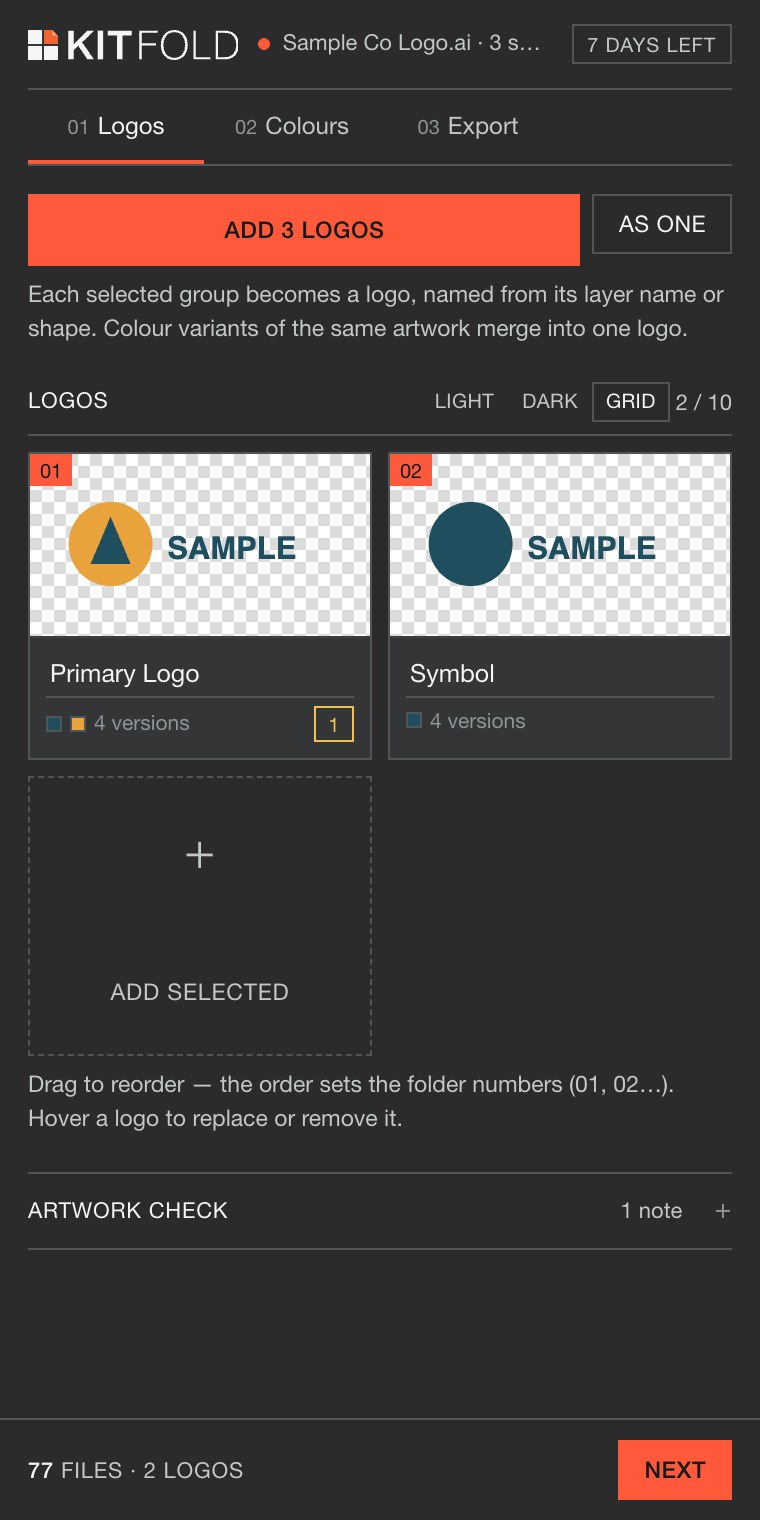
Select your logos and click Add
Select every logo version on your artboards at once. Each group becomes a logo, named from its layer name; colour copies of the same artwork merge into one logo.
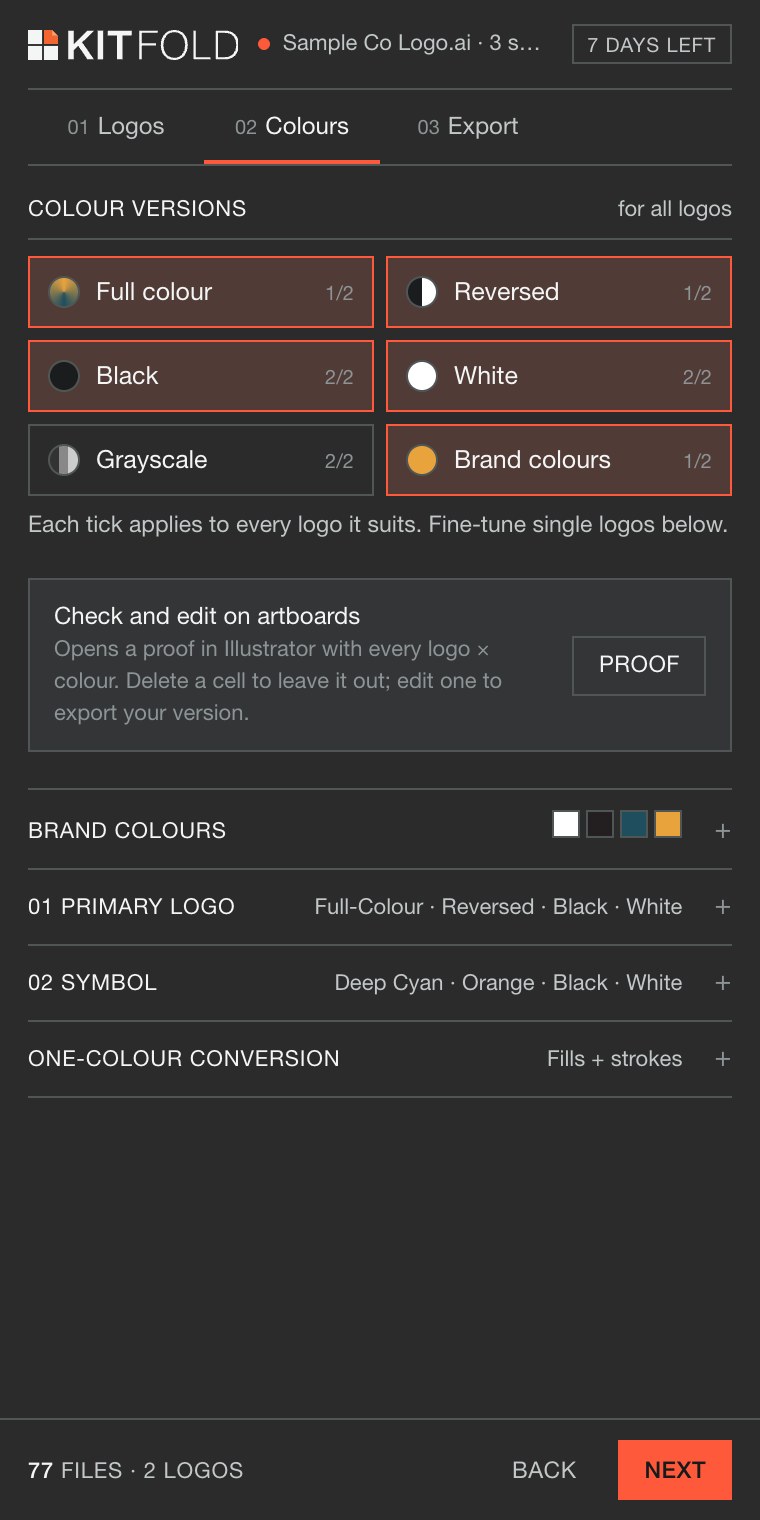
Tick the versions you need
Brand colours are read from the artwork. Add exact CMYK and Pantone once. Open a proof board in Illustrator to check, delete or edit any cell.
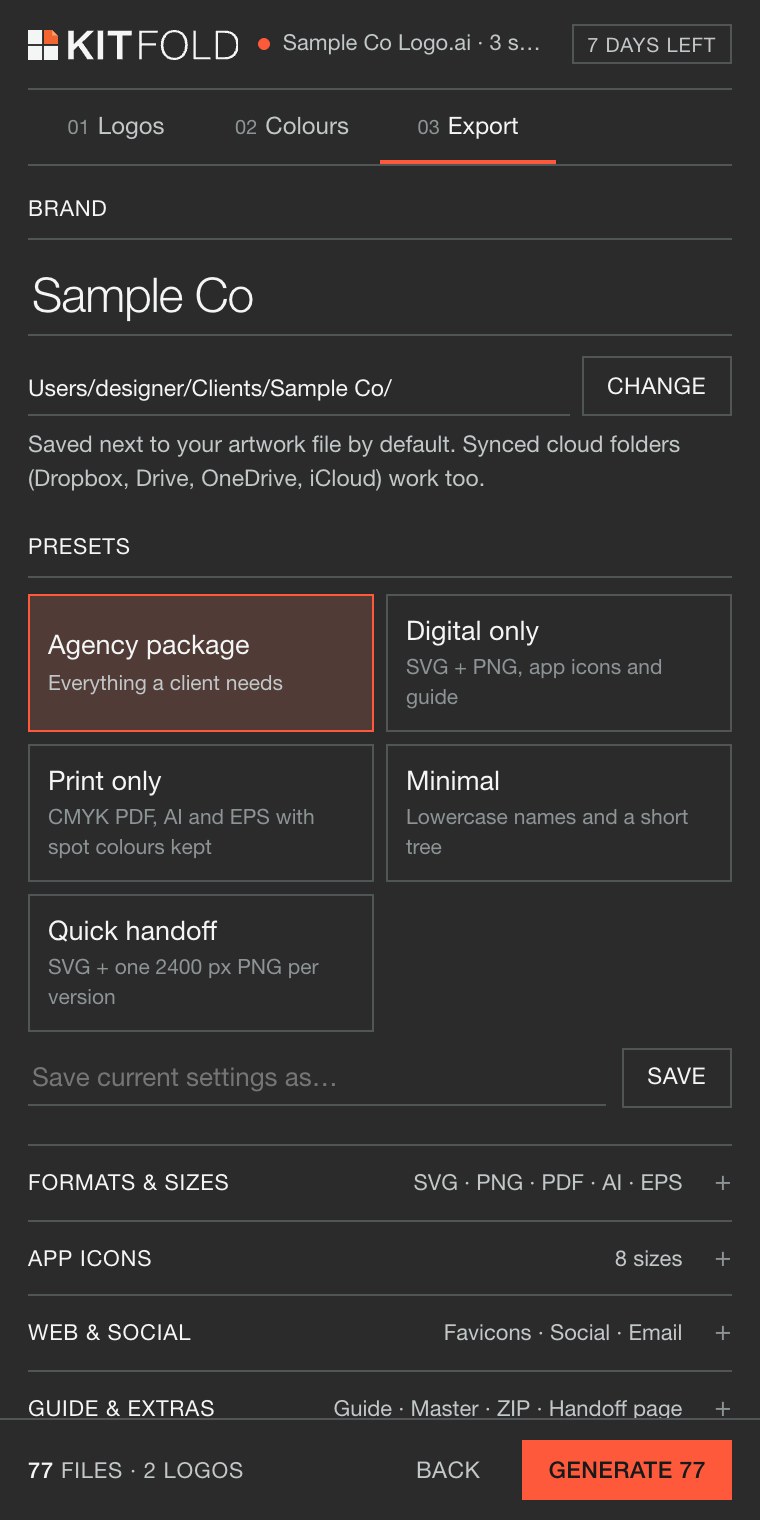
Press Generate
Pick a preset — Agency package, Digital only, Print only, Minimal or Quick handoff — and Kitfold builds the folders, files, icons, guide and ZIP.
The output
Organised the way clients actually look for files.
- DigitalSVG with readable layer names, PNG at exact pixel sizes (600/1200/2400 px; symbols 256/512/1024 px), optional JPG — all sRGB.
- PrintCMYK PDF, AI and EPS using your specified CMYK builds, with spot colours kept or converted.
- IconsSquare 1024, 512, 192, 180 and 32 px; rounded 1024, 512 and 256 px; SVG for each.
- GuideCover, what's inside, which file to use, versions, symbol & icons, colours & rules, thank you.
- Names
Brand_Logo_Full-Colour_600px.png— you control the pattern.
Tested, not promised
Checked against a real agency package, file by file.
We rebuilt a hand-made 76-file client package from its master artwork and compared every file automatically. Then we ran a second, different client master through it.
Files at identical paths and names to the hand-made package.
Print colour values identical in every CMYK PDF, and every spot ink name.
Automated checks passed on the second master: 188 files, 0 failures.
Grayscale keeps each colour's lightness — the usual method is off by up to 21.
PNGs are exact to the pixel and centred within 1 px. Results from Illustrator 2026 on macOS.
Pricing
Pay once. Use it on every client.
Try every feature free for 7 days — no account, no card. When you're ready, buy a licence and paste the key from your receipt into the panel.
Payments, tax and receipts are handled by Polar, our merchant of record. Prices are in US dollars; local taxes are added at checkout where they apply.
Kitfold licence
One-time payment · All 1.x updates included
- Every feature, unlimited packages
- Use on 2 computers (Mac, Windows or both)
- Works offline for 30 days at a time
- Illustrator 2021 (v25) or later
- 14-day money-back guarantee
Questions
FAQ
Which versions of Illustrator does it work with?
Adobe Illustrator 2021 (version 25) or later, on macOS 11 or later and Windows 10/11. It does not run on Illustrator for iPad or the web.
How does the free trial work?
Install Kitfold and use every feature for 7 days. No account or card is needed. After that, click the licence badge at the top of the panel and enter your key to keep using it.
How many computers can I use it on?
One licence is for one person on up to 2 computers. To move to a new computer, deactivate the licence on the old one from the panel, then enter the key on the new one.
Does it need the internet?
Only to activate the key and for a quick licence check every few days. Between checks it keeps working offline for up to 30 days. Once a day it also looks for a newer version on our website.
Does my artwork get uploaded anywhere?
No. Everything happens inside Illustrator on your computer. The only thing Kitfold sends is the licence check — your key, an activation id and your computer's name — to our payment provider, Polar. There is no analytics or tracking. See the privacy policy.
Will it change my original file?
No. Kitfold works on copies. Text and strokes are outlined, and hidden objects removed, only in the files it exports; your document keeps live text.
Can it handle Pantone and exact CMYK?
Yes. Give each brand colour its exact CMYK build and, optionally, a Pantone or spot ink name. Print files use them exactly; digital files use the HEX.
How many logos can one package hold?
Up to 10 logos per package, captured from up to 40 selected objects at once. Colour copies of the same artwork merge into one logo with several versions.
What if it isn't right for me?
Use the 7-day trial first. If you buy and it still doesn't work for you, ask for a refund within 14 days. See the refund policy.
Do you offer team or studio licences?
Each licence is for one person. For several seats, email [email protected].